
Team Meetings
Organize your team meeting with a clear structure for your agenda and minutes
This task has become repetitive and difficult?
Beenote is the complete solution you need that offers all the essential features for work teams of all sizes.
Simplified Meeting Management
Finally, more time for you,
to complete your other work tasks
and even following up on post-meeting tasks.
Objectives achieved
Holding of the meeting
Post meeting
Task follow-up

Collaborative Tool
Beenote is perfect for remote team meeting
Beenote is first and foremost a collaborative workspace combining efficiency and effectiveness.
Beenote can stop all emails sent and received in regard to meetings. Beenote allows collaborative writing of the agenda or minutes, regardless of location and time.
Beenote is used for remote meetings with the videoconferencing tool of your choice to access all meeting documents and keep track of your meetings.
Schedule Management
No more scheduling conflicts!
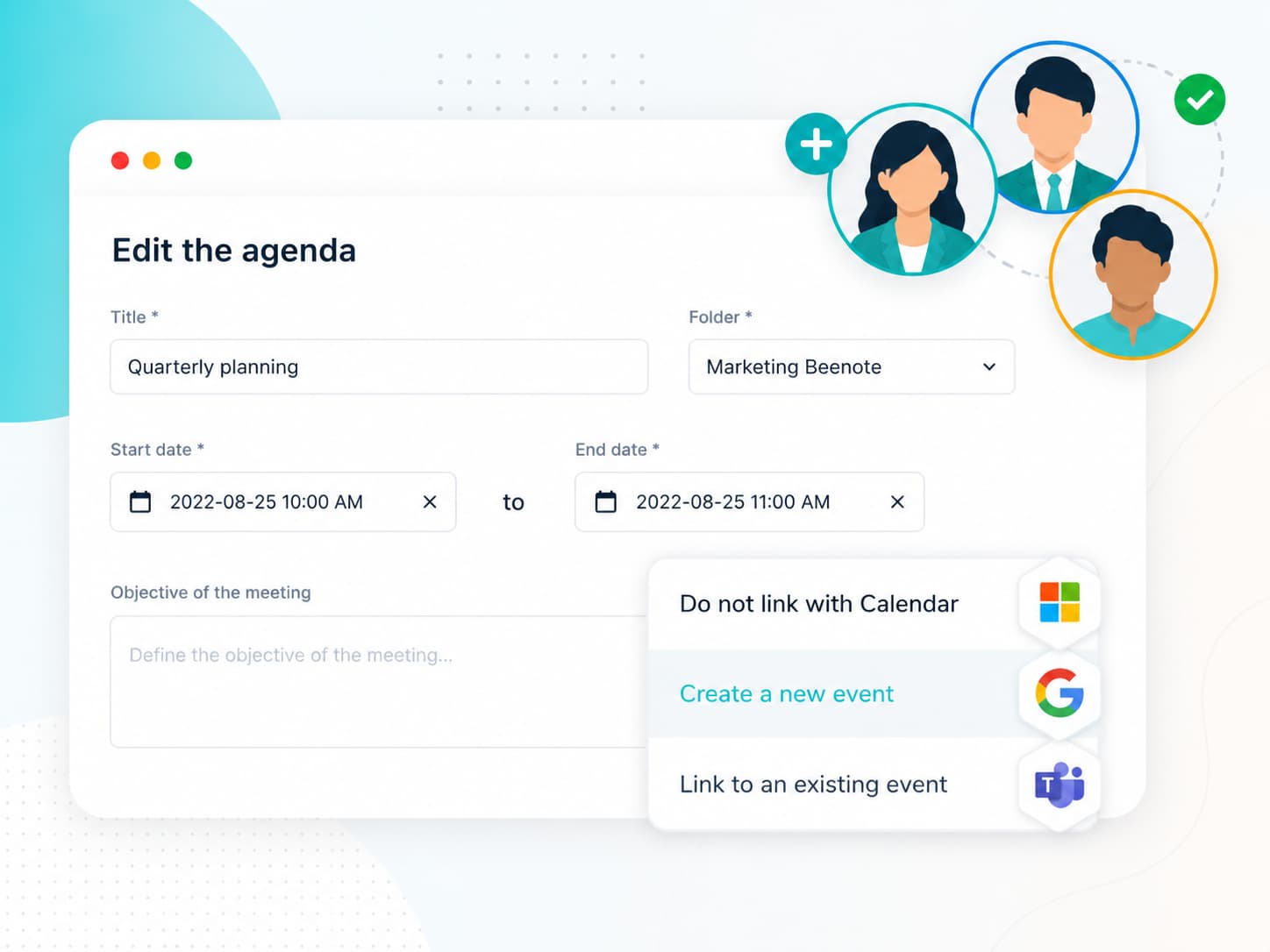
Forget the round-trip emails to validate a meeting time and date, all this is done from your corporate calendar. At a glance, quickly validate the time that suits everyone.
The chosen meeting schedule will be added to the attendee schedule and you will be notified of upcoming meetings.
Seamlessly synchronize your meetings with Microsoft 365 and Google Workspace calendars.
Organize your first meeting. It’s easy, fast and FREE

Customer Success

Meeting Agenda
Plan your agenda with your teammates
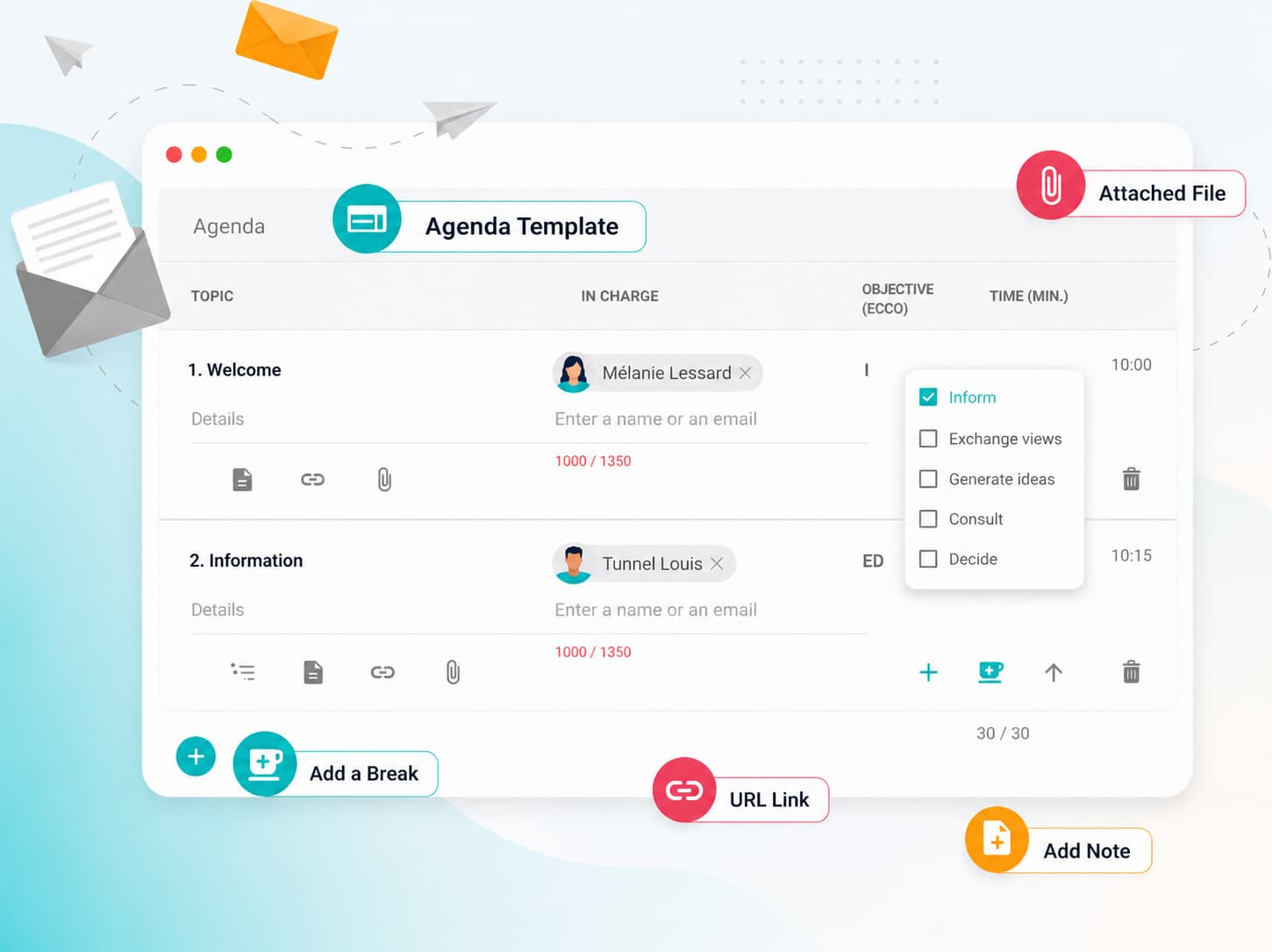
As a team, write a clear and structured agenda. No more repetitive tasks! You can even create your agenda from a pre-built template according to your needs or duplicate the desired agenda.
Your agenda includes the essential elements such as who is responsible, objectives, the roles of each participant, the ability to attach documents, but most importantly to have efficient meetings, which end on time: determine the length of each topic and the overall time of the meeting.
When the draft agenda is approved, each participant is notified by e-mail and can consult it on the device of their choice, in order to be well prepared for the meeting.
The minutes of meeting
Write your minutes of meeting quickly
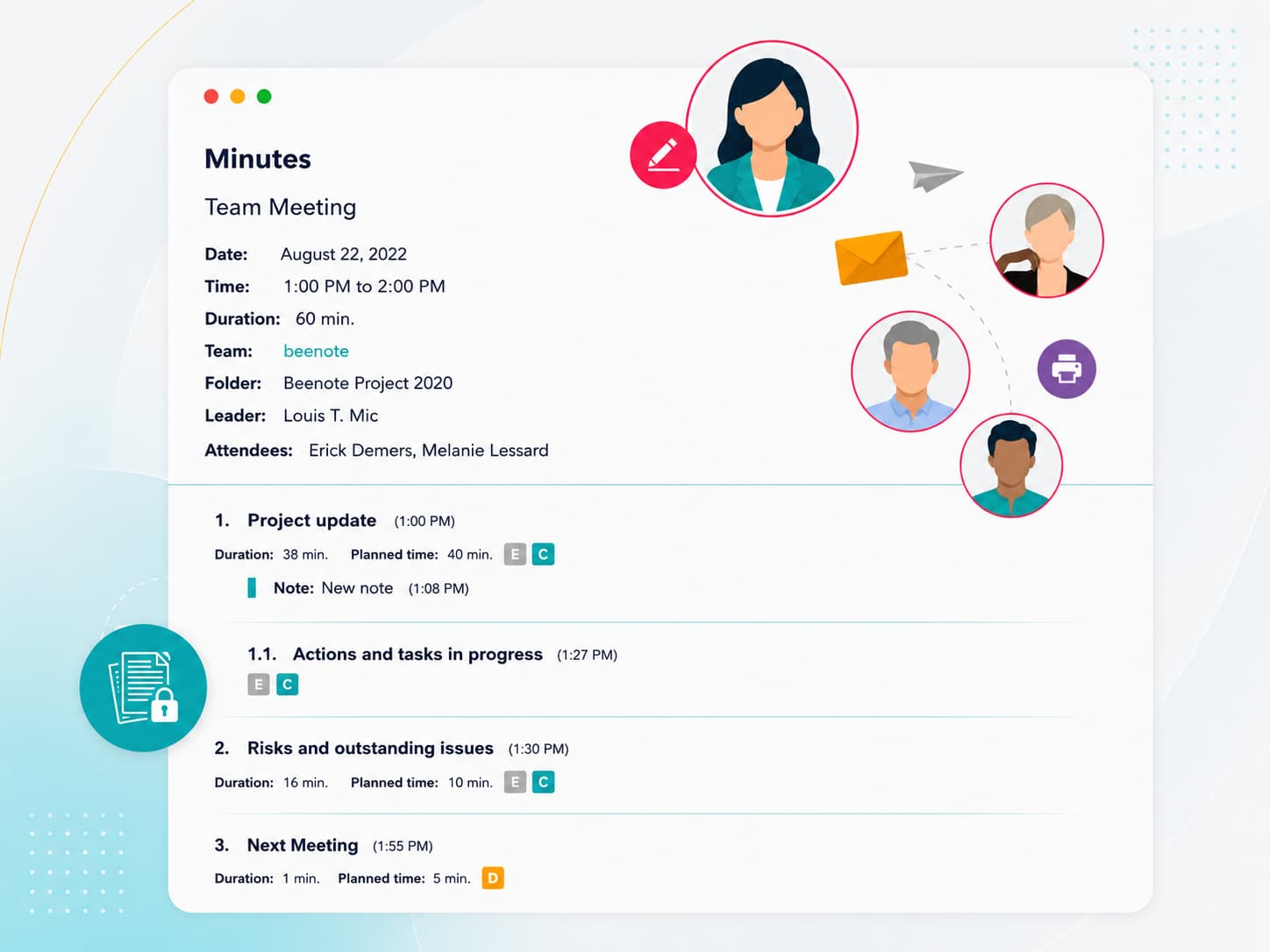
Save time in writing with our real-time meeting management tool. In meetings, take notes directly into Beenote. You can send it directly after the meeting. If you prefer to review the spelling, the integration with Antidote by Druide can be very useful.
If you can not be present, the audio recording of the meeting will allow you to quickly write your minutes.
Once completed, the minutes of meeting is accessible anytime in the minutes registry. You can even send it by email including a URL link or a PDF file.
How do Beenote teams use Beenote for their meetings?
Discover best practices for structuring effective team meetings.
Why choose Beenote as a meeting management solution?
Learn how Beenote helps you prepare, run, and follow up on meetings more efficiently.
Meetings tailored to your needs are possible with Beenote.
Explore our plans and find the perfect fit for your team and organization.